tagged
One app to run the house: projects, upkeep, money and meals.
Windows desktop app, free. Sign-in is invite only for now.
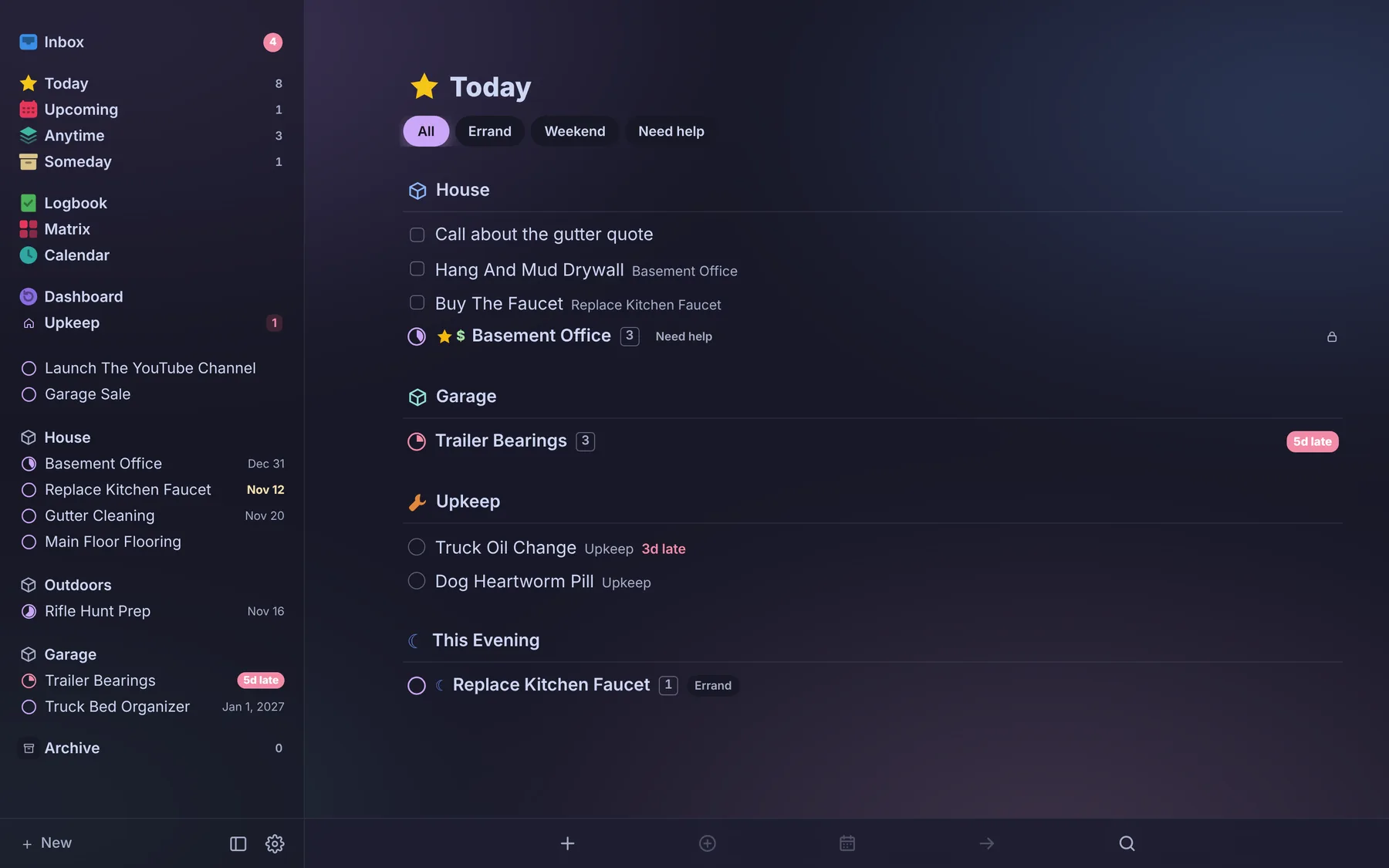
tagged in short
It started as a Trello replacement and kept going. Now it’s where a household plans projects, keeps up with the house, vehicles and pets, tracks bills and spending, and figures out dinner, all synced live between two phones.
live sync
Change something on one phone and it shows on the other right away.
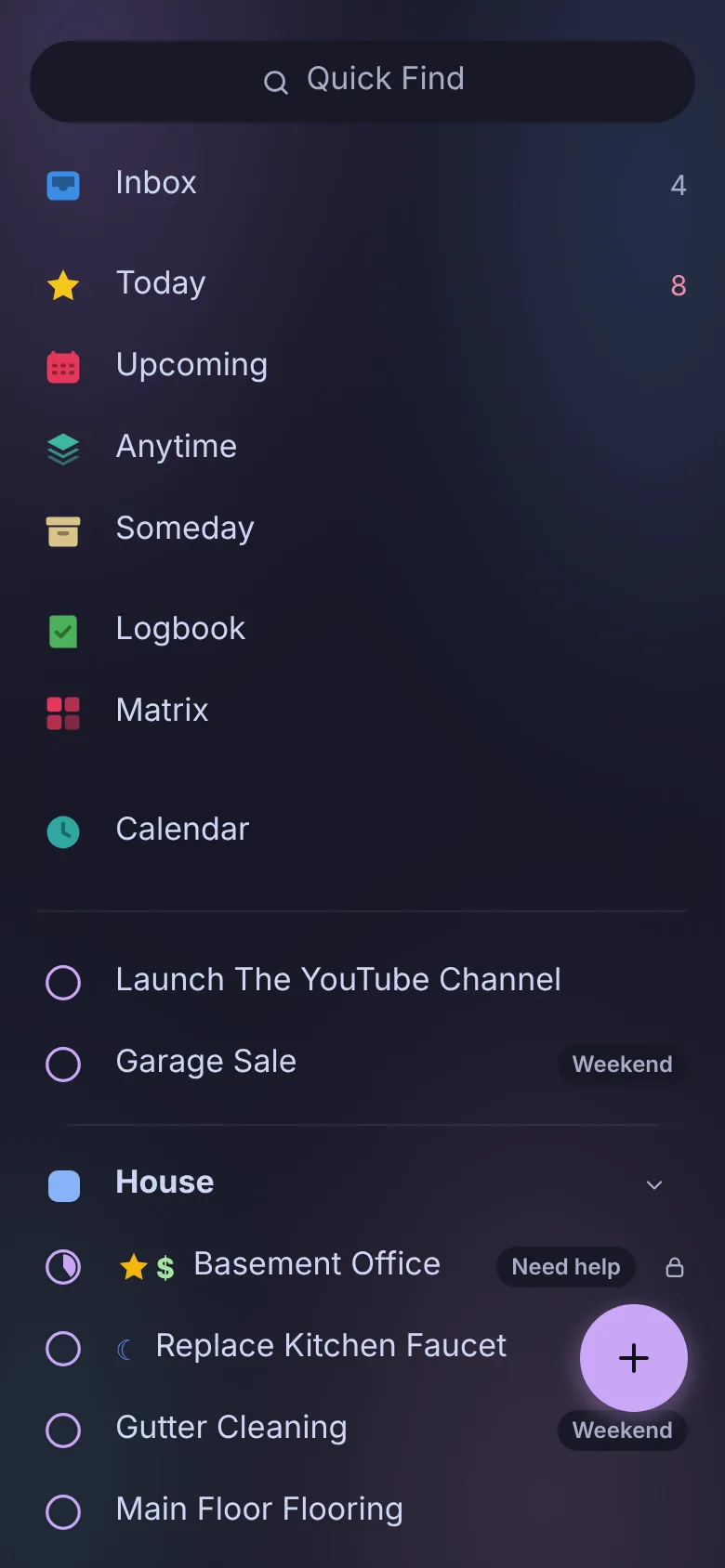
phone first
Swipe between columns, add from anywhere, installs like an app.
backed up nightly
Everything is copied to a home server every night.
no subscription
No locked features, no upgrade prompts, no ads.
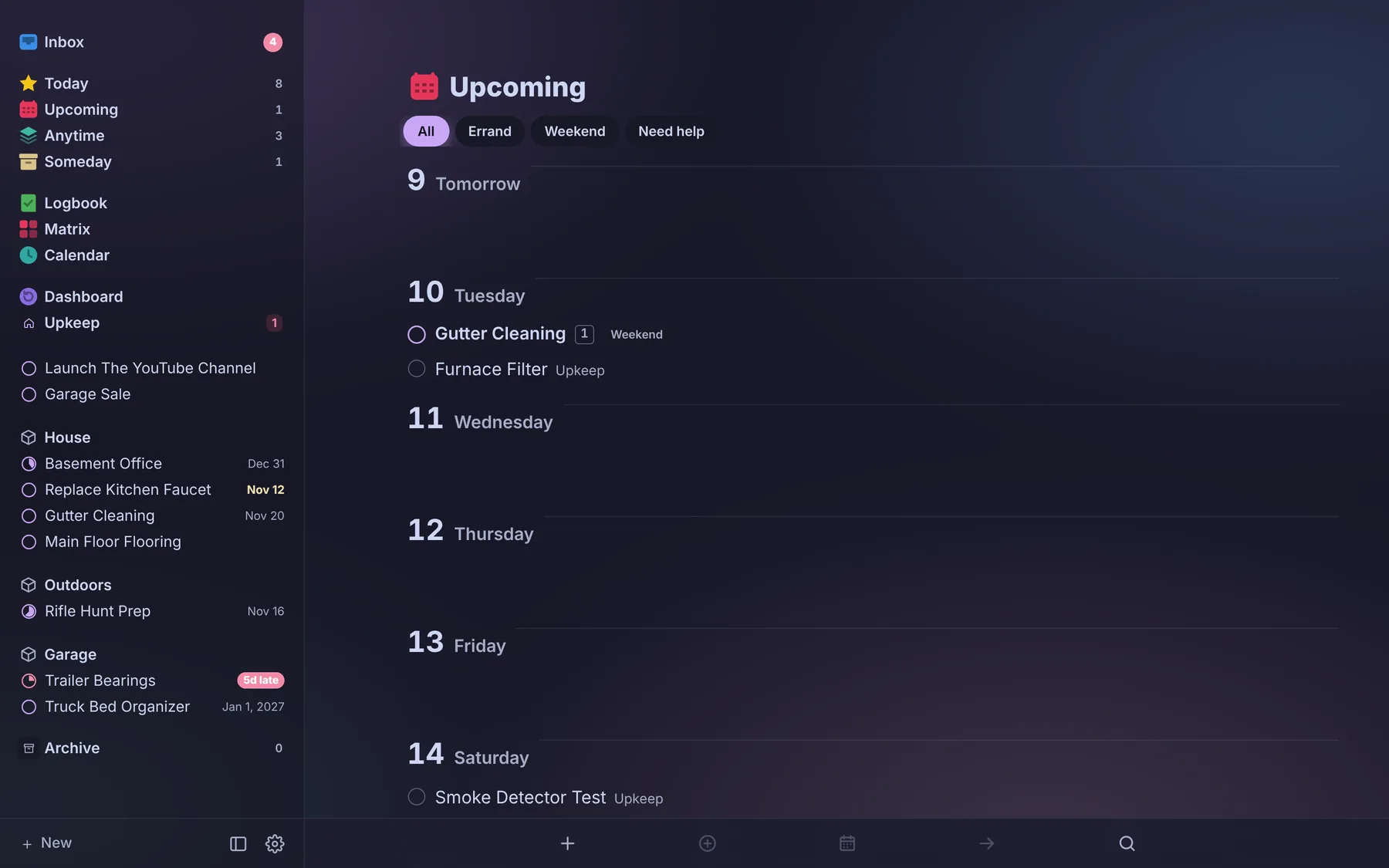
on the computer and the phone
The week ahead on a big screen, everything else one thumb away.
projects
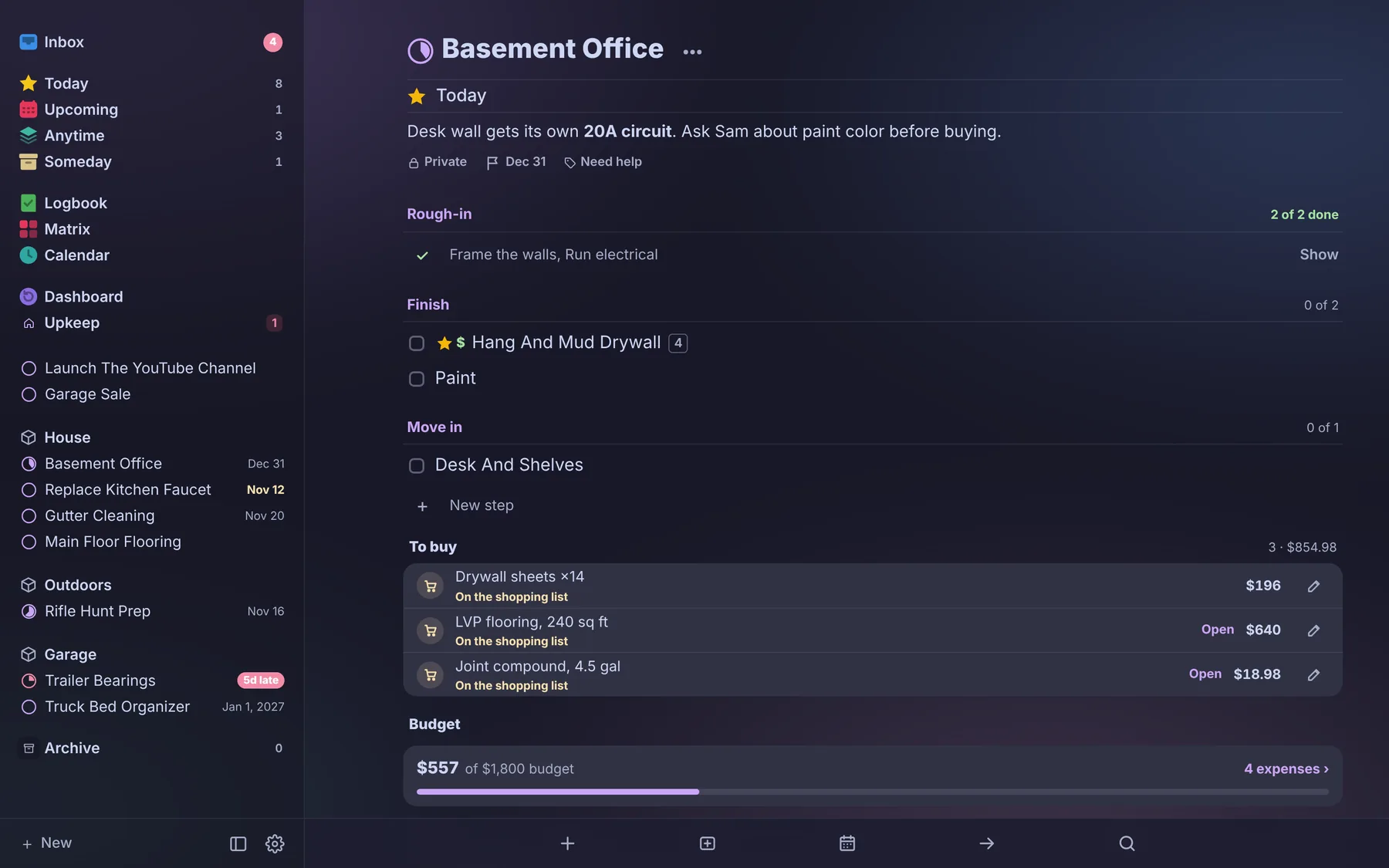
Projects that feel like projects, not chores. Anything with a finish line: a remodel, a hunt to plan, a trip to book, with its owner, due date, priority, next step and a checklist you can break down as far as you need.
three ways to look
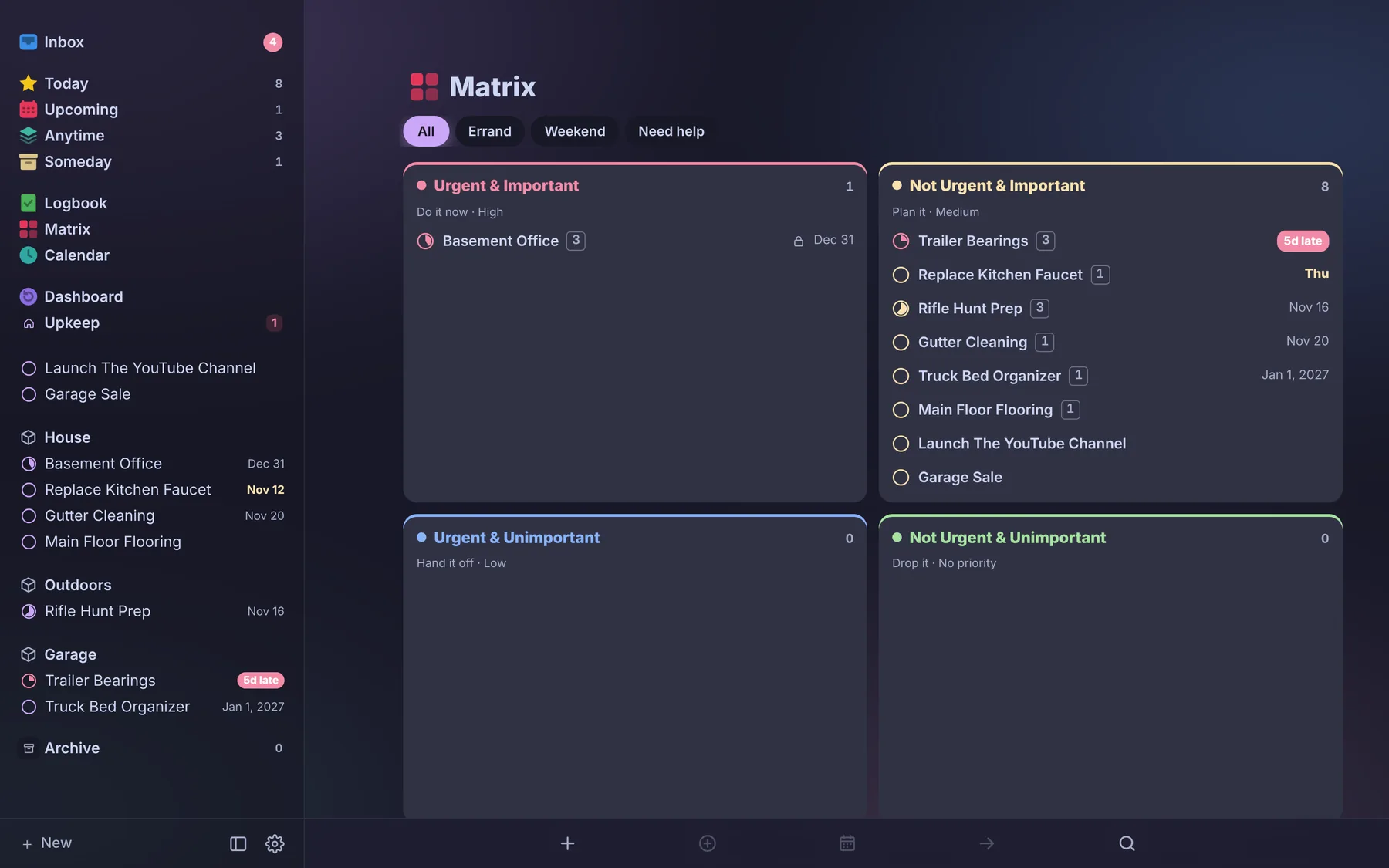
A clean Lists view, a Board with Backlog, Up Next, Doing, On Hold and Done, or a priority Matrix.
areas and categories
Group projects into Areas like Home, Outdoors or Apps, and tag them with categories to filter fast.
steps inside steps
Checklist items open into their own subtasks, so big projects stay manageable.
attach anything
Photos, files, a Google Drive link or an Obsidian note right on the project.
project expenses
Log what a project costs, or scan the receipt and let it fill in the store, total and date.
history
See what changed on a project and who changed it.
mine, yours or both
Assign to one person or both, and filter the board to just your stuff.
make it yours
Light and dark, button colors, and your own background on each board.
upkeep
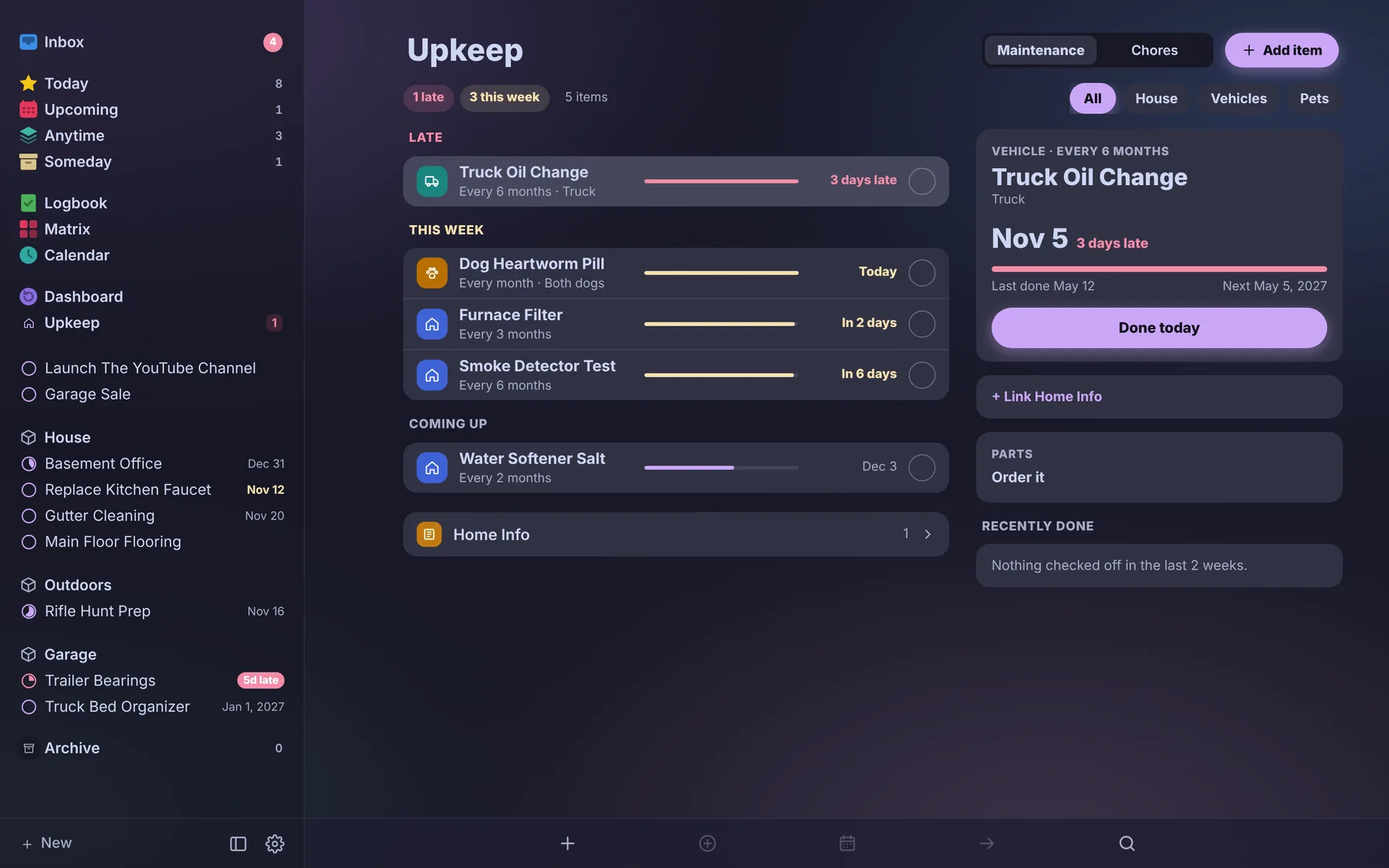
The stuff that keeps coming due: furnace filters, oil changes, flea meds, gutters. Check it off and Tagged records today as last done and works out when it’s due next. Overdue items float to the top.
house, vehicles, pets
Tabs for each, so the truck’s service history doesn’t get lost under the gutters.
chores
Repeating chores sit alongside the bigger maintenance items.
home info
Cards for the details you always hunt for: filter sizes, paint colors, model numbers.
calendar and capture
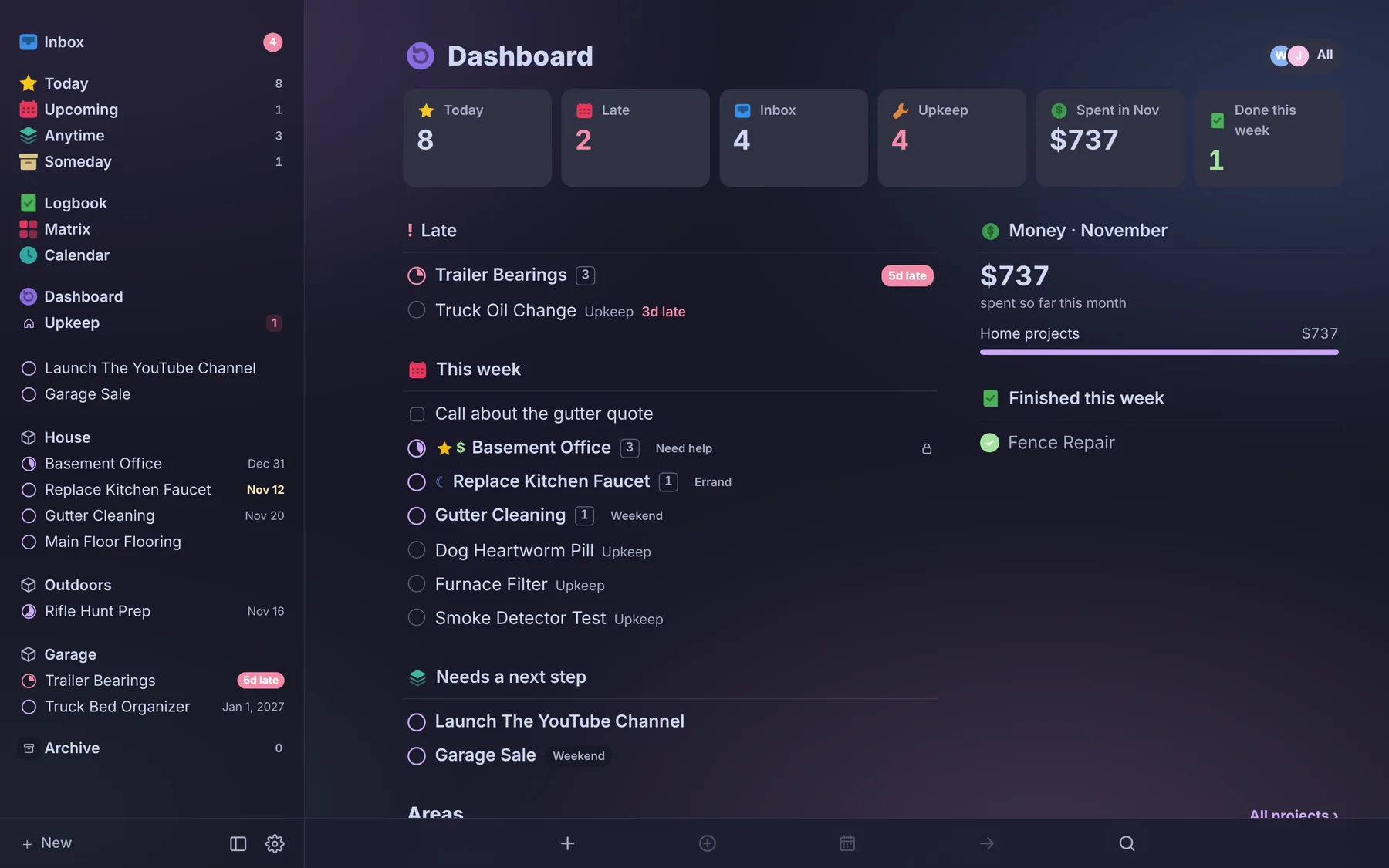
Shows up where you already look. Due dates land on your calendar and your reminders, and anything you want to remember gets into Tagged in a couple of taps.
one calendar
Today, day, week and month views with projects, upkeep, your own events, and linked Google, iCloud and Outlook calendars.
calendar feed
A private feed for Apple Calendar so due dates show up on every device.
reminders sync
An iPhone Shortcut pulls what’s due into Apple Reminders, so there’s one list to check.
daily alert
A push notification at the time you pick with what’s on deck today.
send to tagged
A browser button saves the page you’re on, and an email address drops messages straight into your Inbox.
quick find
Search across projects, upkeep and recipes from anywhere in the app.
money
The household budget, minus the spreadsheet. Money in, what’s left after bills, and how the emergency fund is doing, behind its own PIN.
bills
Every bill as a monthly amount, grouped by category, with who pays what.
fair split
Shared bills split by each person’s take-home pay, or by a set percent.
paychecks
Take-home per check and per month, from real paystubs or a solid estimate.
cards and debts
Balances, rates, minimums and 0% promo end dates, so nothing sneaks up.
spending
Every expense and scanned receipt, counted by category and month.
savings
An emergency fund goal and a set-aside for the bills that only come once or twice a year.
meals
What’s for dinner, already figured out. Plan the week, keep recipes like a cookbook, and shop from one shared list sorted by aisle. It replaced Paprika.
this week
Breakfast, lunch, dinner and snacks for each day, with today’s meals right on the Today view.
recipes
Photos, ratings, favorites, scaling from half to triple, and a cook mode that keeps the screen easy to follow.
groceries by aisle
One shared list, sorted by aisle, that works with no signal in the store.
pantry and meal prep
Track what’s on hand and plan a prep day across several recipes.
why i built it
I couldn’t stand paying for Trello anymore.
Subscriptions, locked features, and an upgrade prompt every time I clicked something. We needed a board we could both edit from anywhere that pushed to our calendar and reminders. Once it worked, it was easy to keep going: the finance workbook and the recipe app came next.
still building
A work in progress, used every day.
Tagged gets new pieces all the time. A taxes tab for write-offs and year-end, and meals on the calendar, are on the list.
questions
The short answers.
What is Tagged?
One app to run a household: projects, upkeep for the house, vehicles and pets, one calendar, the budget and meals, synced live between two phones.
Is Tagged free?
The Windows desktop app is free, with no subscription, no locked features and no ads. Sign-in is invite only for now.
Does Tagged work on a phone?
Yes. It is built phone first and installs on the home screen like an app. Change something on one phone and it shows on the other right away.
Does it work with my calendar?
Yes. A private feed puts due dates in Apple Calendar, and Google, iCloud and Outlook calendars can be linked in. An iPhone Shortcut pulls what is due into Apple Reminders.
Does it track home and car maintenance?
Yes. Upkeep covers the house, vehicles and pets. Check an item off and Tagged records today as last done and works out when it is due next.
Can it split bills?
Yes. Shared bills are split by each person’s take-home pay, or by a set percent.
What did it replace?
It started as a Trello replacement. The household finance workbook and the Paprika recipe app came next.